Introduction
SerpBear is an Open Source Search Engine Position Tracking App. It allows you to track your website's keyword positions in Google and get notified of their positions.
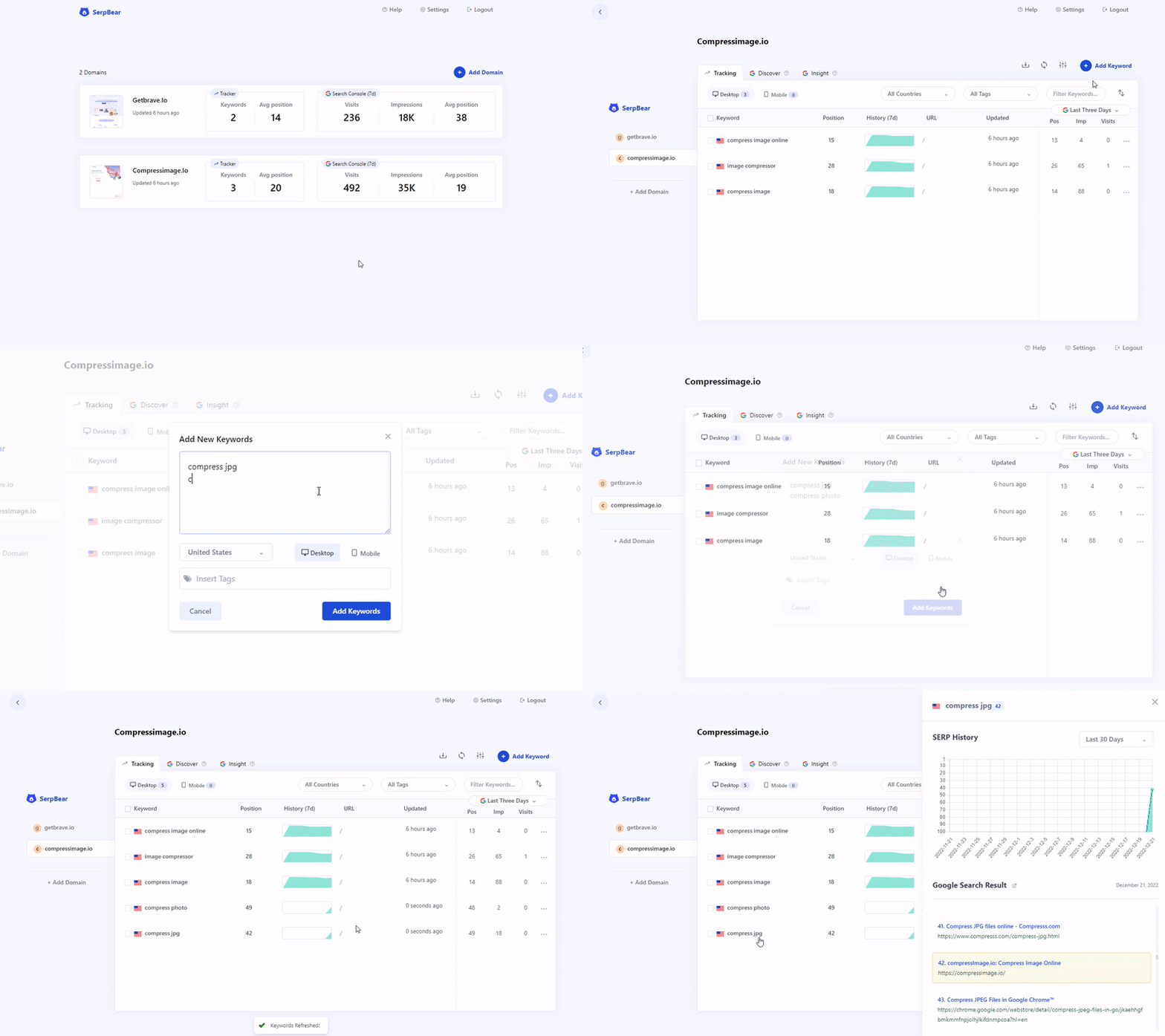
Features
- Unlimited Keywords: Add unlimited domains and unlimited keywords to track their SERP.
- Flexible Scrape Strategy: Choose between Basic, Custom, and Smart scraping strategies — globally or per domain — to control how many Google pages are checked per keyword. Built to work around Google's 2025 removal of
num=100. - Email Notification: Get notified of your keyword position changes daily/weekly/monthly through email.
- SERP API: SerpBear comes with built-in API that you can use for your marketing & data reporting tools.
- Keyword Research: Ability to research keywords and auto-generate keyword ideas from your tracked website's content by integrating your Google Ads test account.
- Google Search Console Integration: Get the actual visit count, impressions & more for Each keyword. Discover new keywords, and find the most performing keywords, countries, and pages.
- Export CSV: Export your domain keywords and their data in CSV files whenever you want.
- Mobile App: Add the PWA app to your mobile for a better mobile experience.
- Zero Cost to RUN: Run the App with docker or by pulling the source from github directly.
How it Works
The App uses third-party website scrapers like ScrapingRobot, SerpAPI, or your own proxy IPs to scrape Google search results and determine if your domain appears — and at what position — for a given keyword.
In 2025, Google removed support for the num=100 parameter, limiting each SERP request to 10 results. SerpBear handles this with a built-in Scrape Strategy system: choose Basic (first page only), Custom (a fixed number of pages), or Smart (scrape around the keyword's last known position) — at both the global and per-domain level. Scrapers like SerpAPI and SearchAPI that natively return 100 results are unaffected.
The Keyword Research and keyword generation feature works by integrating your Google Ads test accounts into SerpBear. You can also view the added keyword's monthly search volume data once you integrate Google Ads.
When you integrate Google Search Console, you will be able to view the actual visits count from Google Search for the tracked keywords.
Getting Started
- Step 1: Deploy & Run the App with Docker or without.
- Step 2: Access your App and Login.
- Step 3: Add your First domain.
- Step 4: Get a free API key from either ScrapingRobot or other providers. Skip if you want to use Proxy ips.
- Step 5: Set up the Scraping API/Proxy from the App's Settings interface.
- Step 6: Add your keywords and start tracking.
- Step 7: (Optional) From the Settings panel, set up SMTP details to get notified of your keywords' positions change through email. You can use ElasticEmail and Sendpulse SMTP services that are free.
- Step 8: (Optional) Integrate Google Ads to get search volume data for each keyword, generate keyword Ideas, and research keywords.
Compare SerpBear with other SERP tracking services:
| Service | Cost | SERP Lookup | API |
|---|---|---|---|
| SerpBear | Free* | Unlimited* | Yes |
| ranktracker.com | $18/mo | 3,000/mo | No |
| SerpWatch.io | $29/mo | 7500/mo | Yes |
| Serpwatcher.com | $49/mo | 3000/mo | No |
| whatsmyserp.com | $49/mo | 30,000/mo | No |
(*) Free up to a limit. If you are using ScrapingRobot you can look up 5,000 times per month for free.
Tech Stack
- Next.js for Frontend & Backend.
- Sqlite for Database.